After signup, Isla walks you through six short screens. Each one needs an answer before you continue — the only thing you can skip is the charity number.
- 1You — your name and what you do at the charity.
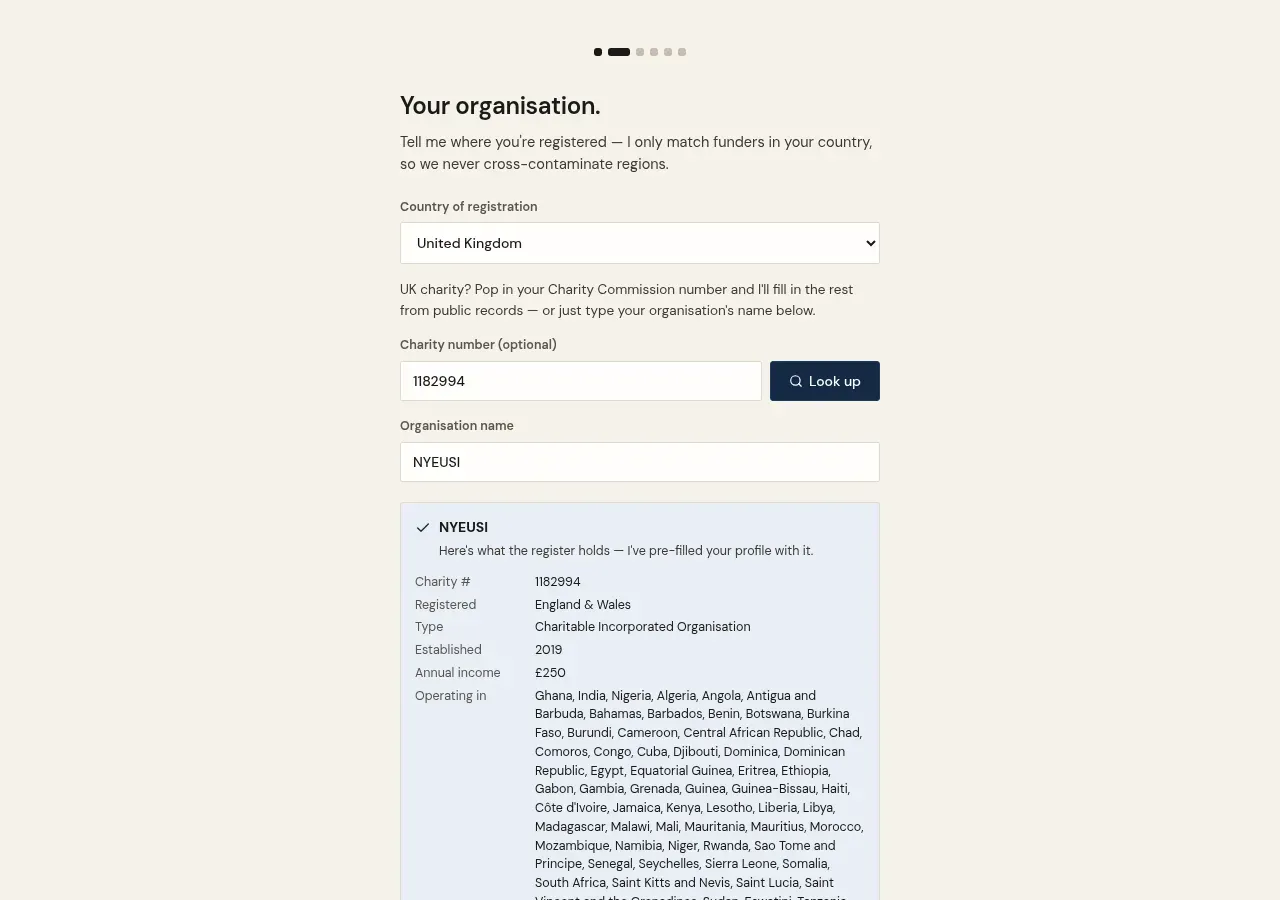
- 2Your organisation — country of registration, plus your Charity Commission number (optional). Give Isla the number and she pre-fills your details from the public register; or just type your organisation's name.
- 3Quick details — six facts (income, where you operate, organisation type, where you're registered, focus areas, who you serve). These decide which grants you qualify for.
- 4Share your documents — upload at least one document: your annual report, accounts, or governing document. Recent grant applications help too.
- 5Isla fills your profile — she reads your documents, the Charity Commission register, and your website, and answers as many of your charity profile's 127 questions as the evidence supports. She only ever fills blanks — nothing you've written is overwritten.
- 6Set Isla loose — a few keywords about your work and where you operate, then 'Find my funders' starts the first search.
TipEverything Isla fills stays editable — review it any time under Settings → Organisations → your charity. The fuller your profile, the more confident your eligibility checks.